A non-responsive website does not just look bad on mobile. It leaks revenue from every channel simultaneously. Organic rankings fall because Google indexes the broken version. Ad spend converts at half the rate it should. Local customers tap away before making contact. Ecommerce sessions abandon at checkout.
According to Google, 61% of users will not return to a mobile site they had trouble accessing, and 40% visit a competitor’s site instead. Mobile devices account for over 60% of global web traffic in 2026. These are not future projections. They are the conditions your site operates in right now.
This guide covers what responsive web design actually requires technically, how it connects to search performance, conversion rate optimization, local business growth, ecommerce revenue, and AI search visibility, and what the gaps look like when implementation is incomplete.
If your site is underperforming on mobile, the sections below identify exactly where the problem sits and what fixing it is worth.
What responsive web design actually is
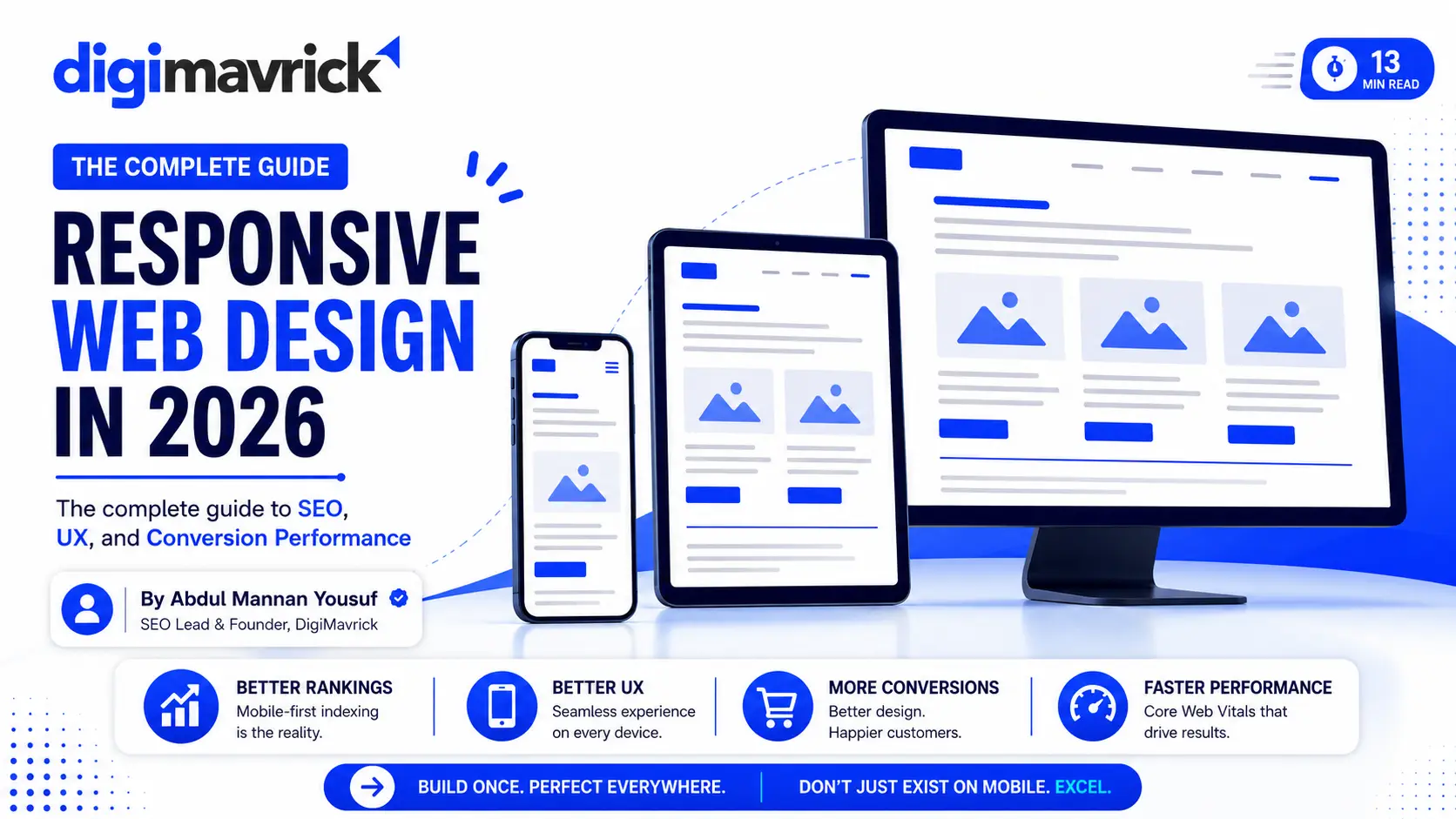
Responsive web design is a development approach that uses flexible grids, fluid layouts, CSS media queries, and responsive images to make one codebase adapt to any screen size. The output is a single URL that delivers a usable experience on a 375px mobile screen and a 1440px desktop monitor without separate builds, redirects, or device detection.
Direct answer: A responsive website is one that uses CSS and HTML to automatically reformat its layout, images, and typography based on the width of the device viewport. The same URL serves all devices. No separate mobile site, no device detection, no duplicated content.
The technical components:
Fluid grid layouts. Column widths defined in percentages rather than fixed pixels. Content reflows instead of overflowing.
CSS media queries. Conditional style rules that activate at defined breakpoints, typically 480px, 768px, 1024px, and 1280px. Each breakpoint adjusts layout, typography, spacing, and component behavior.
Responsive images. Images delivered using srcset and sizes attributes or the <picture> element. The browser fetches the correctly sized file for the current viewport, cutting mobile data load by 40-70% compared to serving full desktop images.
Flexible typography. Font sizes and line heights defined in relative units (rem, em, clamp()) rather than fixed px values. Text remains readable without user zoom.
Touch-friendly interaction targets. Tap targets sized to a minimum of 44x44px per Google’s mobile usability guidelines, with sufficient spacing between adjacent targets.
This is the technical baseline. Performance optimization, semantic markup, and content hierarchy determine whether a responsive site ranks, retains users, and converts them.
Why Google’s mobile-first indexing makes responsiveness non-negotiable
Google completed its mobile-first indexing rollout in 2024. This means Google’s crawler primarily accesses and evaluates the mobile version of every URL. The mobile version is the indexed version.
Direct answer: Under mobile-first indexing, Google crawls and evaluates your site’s mobile experience first. If your mobile layout is broken, incomplete, or slow, that is what Google indexes and ranks, regardless of how strong the desktop version is.
The practical consequences:
If your mobile version omits content, internal links, or structured data that exists on desktop, Google indexes the incomplete version. Rankings reflect what the mobile crawler finds, not what the desktop user sees.
If your mobile layout produces a Cumulative Layout Shift (CLS) score above 0.1, pages shift during load and Google records a poor experience. If Largest Contentful Paint (LCP) exceeds 2.5 seconds on mobile, the page fails the Core Web Vital threshold and loses its ranking advantage on that metric.
Responsive design, properly implemented, aligns the mobile and desktop versions into one consistent document. That eliminates content parity risk, removes duplication from separate mobile subdomains, and gives Google’s crawler stable access to the same structured information regardless of how it arrives.
This is one of the most technically consequential aspects of SEO in 2026. Sites that hold rankings through algorithm updates nearly always have mobile and desktop versions that are architecturally identical.
Core Web Vitals: what responsive design controls and what it does not
Core Web Vitals are Google’s three primary user experience metrics. Responsive design directly influences all three, but does not guarantee passing scores on its own.
Direct answer: Responsive design creates the conditions for passing Core Web Vitals. Whether scores actually pass depends on implementation quality: image sizing, JavaScript weight, layout stability, and server response time.
Cumulative Layout Shift (CLS). Layout shifts occur when unloaded images have no declared dimensions, when injected content pushes existing elements, or when web fonts swap during render. A properly built responsive layout declares image dimensions in HTML, reserves space for dynamic elements, and uses font-display: swap with size-consistent fallback fonts. Target: CLS below 0.1.
Interaction to Next Paint (INP). INP replaced First Input Delay in March 2024 as the responsiveness metric. It measures the time from user input (tap, click, keystroke) to the next visual update. Heavy JavaScript, third-party scripts, and unoptimized event handlers inflate INP. A lightweight responsive build reduces interaction latency. Target: INP below 200ms.
Largest Contentful Paint (LCP). The time until the largest visible element in the viewport renders. On mobile, this is usually a hero image or an H1 block. Responsive images with correct sizing, preloaded above-the-fold assets, and server response under 600ms push LCP into the good range. Target: LCP below 2.5 seconds.
Google’s 2024 data shows that pages passing all three CWV thresholds are 24% less likely to be abandoned before they fully load. That retention difference flows directly into conversion rates and engagement signals.
The website development services required to hit these thresholds are technical, not cosmetic. Passing CWV requires intentional build decisions, not just a responsive theme.
The technical gaps most responsive sites miss
Most sites that claim responsiveness pass the basic reflow test. The layout changes on a small screen. That is the floor, not the standard. The gaps below are where real SEO and UX damage happens.
Viewport meta tag errors. Without <meta name="viewport" content="width=device-width, initial-scale=1">, mobile browsers apply desktop scaling. Text becomes unreadable at native size. Tap targets misfire. Google’s Mobile Usability report flags it as a critical error.
Unoptimized images on mobile breakpoints. A desktop hero image at 1400px wide served to a 375px mobile screen wastes 60-70% of its data transfer. srcset with appropriately sized assets for each breakpoint eliminates this. WebP and AVIF formats reduce file size by 25-50% compared to JPEG at equivalent visual quality.
Missing lazy loading on off-screen media. The loading="lazy" attribute on images and iframes below the fold defers their fetch until the user scrolls to them. This reduces initial page weight and directly improves LCP for above-the-fold elements.
Touch targets below 44px. Navigation links, buttons, form submit controls, and inline CTAs sized for mouse precision fail on touch. A 20px text link with 5px padding is a usability failure on every mobile device. Google flags touch targets below 48px in its mobile usability audit.
JavaScript-dependent navigation on mobile. Hamburger menus that require multiple JS event handlers to open, animate, and close add interaction latency and create failure points on low-end Android devices, which represent a significant share of mobile traffic in South Asian markets.
Absence of semantic HTML structure. <div> stacks with class-based styling give Google’s crawler and AI systems less signal about content hierarchy than semantic landmarks: <main>, <article>, <nav>, <section>, <aside>. Semantic markup is both an accessibility requirement and a crawl efficiency gain that directly affects how AI systems extract and represent page content.
CSS-hidden desktop content. Content hidden with display: none on mobile is still crawled and indexed. If content critical to the page topic is conditionally hidden on mobile, Google may not weight it appropriately under mobile-first indexing.
How responsive design affects organic search performance
Responsive design affects organic rankings through four mechanisms. None of them are direct ranking factors in isolation. Together, they determine whether a site can compete.
Direct answer: Responsive design does not directly improve rankings. It enables the technical conditions, consistent indexing, strong CWV scores, better engagement, and clean crawl signals, that support rankings.
Crawl efficiency. One URL, one canonical version, one set of signals. No PageRank split between www and m-dot. No hreflang confusion on same-language versions. No duplication penalties. Google’s crawler spends its budget once and finds everything it needs.
Engagement signals. Users who can read content without zooming, navigate without pinching, and complete forms without frustration stay longer, scroll further, and return more often. Longer session duration, lower bounce rate, and higher pages-per-session are quality signals that influence how Google interprets page usefulness.
Core Web Vitals pass rate. Pages that pass all three CWV thresholds receive a ranking tiebreaker advantage in competitive SERPs. More importantly, pages that fail create friction that reduces the value of every other ranking input: content quality, backlinks, and topical authority.
Structured content accessibility. Responsive layouts built on semantic HTML are easier for Googlebot to parse and represent in rich results. A responsive page with FAQ schema, breadcrumb schema, and a clean heading structure gives Google more display options in search results, including featured snippets, People Also Ask boxes, and AI Overviews.
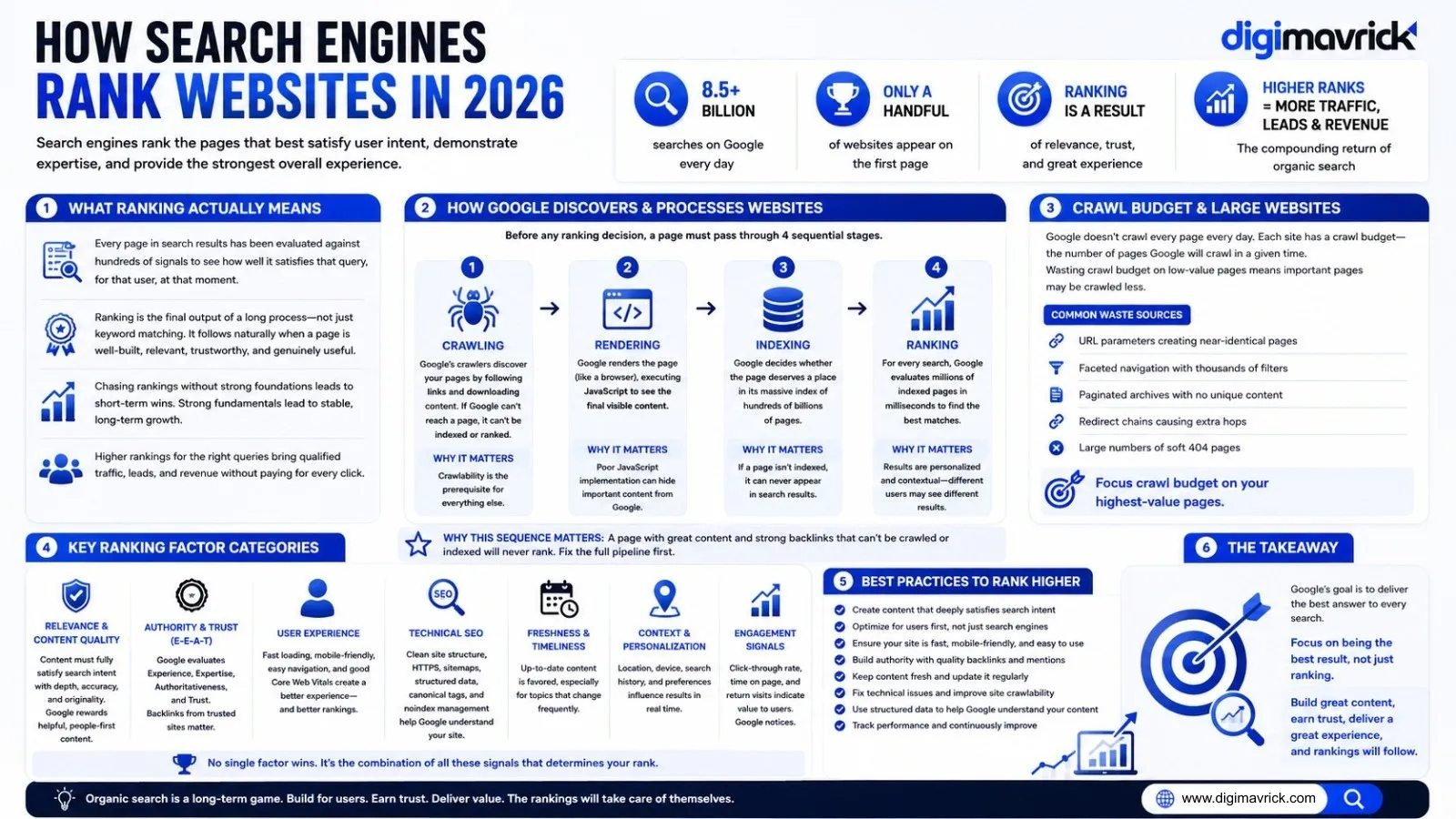
This is why topical authority through semantic SEO requires a solid technical foundation. A site cannot build topical authority when its technical layer blocks consistent crawl, indexing, and content extraction.
Responsive design and conversion rate optimization
Traffic that lands on a broken mobile experience does not convert. Responsive design is the prerequisite for CRO. Without it, every improvement to copy, offer, or page layout operates below its potential ceiling.
Direct answer: Responsive design removes the technical barriers to conversion. It does not create conversions on its own. Clean layout, fast load, and usable forms are the floor. Persuasive copy, clear offers, and strong CTAs build on top of that floor.
Baymard Institute research shows that 26% of US adults abandoned a checkout because the process was too complicated or long. On mobile, that number increases when the checkout is not built for touch. The problem is not intent. It is interface.
The conversion touchpoints responsive design directly protects:
Forms. Contact forms, quote request forms, and lead capture forms need large input fields, clearly labeled fields, appropriately typed inputs (type="email", type="tel", type="number"), and submit buttons spanning the full content width. A form designed for desktop and served unmodified on mobile loses a measurable share of its submissions to input errors and label collisions.
Call-to-action placement. Above-the-fold CTAs on mobile must actually appear above the fold on mobile viewports. A desktop hero section 800px tall pushes the CTA below the first scroll on a 667px mobile screen. Responsive layout logic must account for viewport height, not just width.
Trust signals. Client logos, testimonials, certifications, and guarantees that appear near the top of a desktop layout often fall below the first scroll on mobile if the responsive structure is unintentional. Trust signals that are not visible in the first two screens on mobile do not perform.
Checkout and purchase flows. Every step from product page to cart to payment must render correctly on mobile. Cart abandonment increases when checkout requires horizontal scrolling, when address fields are mis-sized for touch, or when payment method selection involves precise tapping on small targets.
A broken mobile conversion path also degrades paid media performance. Traffic from Meta Ads and Google Ads lands on pages. When those pages fail on mobile, the ad spend produces clicks that do not convert. Landing page experience is also a Quality Score input in Google Ads. Poor mobile usability lowers Quality Score, which raises cost-per-click and reduces ad impression share.
If your site has mobile usability issues, fixing them before scaling ad spend is the correct sequence. Every rupee spent on ads before that fix has a lower ceiling on return.
Talk to us about auditing your current mobile conversion path before your next campaign goes live.
Responsive design for local businesses
Local businesses depend on mobile search more than any other segment. A user searching “dry fruit shop Lahore” or “web agency near me” is almost always on a mobile device within a short decision window. Google’s own data shows that 76% of people who search for something nearby on their smartphone visit a related business within a day, and 28% of those searches result in a purchase.
The user journey in local search moves fast: Maps or organic result, click to website, scan for credibility, find contact method, act. Every friction point on mobile cuts the conversion rate of that journey.
Direct answer: For local businesses, a non-responsive website means local search traffic, which is almost entirely mobile, lands on a broken experience. The GMB listing does its job. The website fails the handoff.
Responsive design directly affects three local conversion moments:
Click-to-call. A phone number displayed as plain text on desktop should render as a tappable <a href="tel:+92XXXXXXXXXX"> link on mobile. One tap to call. Without it, the user must copy the number manually. Contact attempt rates drop measurably at that friction point.
Map embed performance. Google Maps iframes are heavy by default. A lazy-loaded, responsive iframe that does not block page render protects LCP and preserves the user’s first impression. A map that delays the page by 1.5 seconds on a 4G connection loses users before they see anything else.
Business information hierarchy. Address, hours, phone number, and service area should appear in the first two screens of the mobile layout. For a local business, this information is often the only thing standing between a search and a phone call.
Businesses that pair GMB setup and verification with a properly responsive website close the loop. Local search surfaces the listing. The listing drives the click. The responsive website converts the visit. Breaking any link in that chain reduces the return on the other two.
Responsive design for ecommerce
Mobile ecommerce conversion rates average 1.8-2.2% globally compared to 3.6-4.0% on desktop. That gap is not explained by intent. Mobile shoppers make purchases. The gap is explained by interface. Ecommerce experiences designed for desktop and scaled down for mobile fail at the points where purchase decisions are made.
Direct answer: The mobile ecommerce conversion gap is a usability gap, not an intent gap. Responsive ecommerce design that handles product discovery, decision-making, and checkout correctly closes that gap by 30-50% in well-documented implementations.
The specific elements that determine ecommerce responsive performance:
Product image galleries. Touch-swipeable carousels with correctly sized thumbnails. Images served at desktop dimensions on mobile add load time without adding quality. srcset with mobile-specific sizes reduces gallery load by 40-60%.
Product descriptions. Expandable sections using <details> and <summary> or well-implemented accordions keep long descriptions readable without overwhelming the mobile scroll. Key purchase-decision information (price, size, availability, shipping) must appear before any expand interaction.
Add-to-cart accessibility. The add-to-cart button must be visible on mobile without scrolling past the product hero. Sticky add-to-cart bars on mobile product pages eliminate the need to scroll back after reading. A/B tests on sticky CTAs consistently show 10-20% lift in add-to-cart rate.
Filter and sort interfaces. Desktop sidebar filters must become mobile drawer filters. A sidebar that collapses to nothing on mobile leaves users unable to narrow searches. The result is higher bounce rate on category pages.
Checkout form correctness. Email fields must trigger the email keyboard. Phone fields must trigger the numeric pad. Quantity fields must use numeric input. These are input type attributes that take minutes to implement and reduce checkout abandonment by removing keyboard-switching friction.
Responsive design for graphic design and brand consistency
Visual identity breaks on mobile as often as layout does. A logo that works at 200px wide becomes unreadable at 80px. A hero graphic with embedded text becomes illegible when scaled to a 375px viewport. Typography set in fixed sizes collapses into paragraphs of text that cannot be scanned.
Responsive design and graphic design must be planned together, not in sequence. A brand that presents inconsistently across devices loses trust signals before the user reads a word. Responsive visual systems include:
SVG logos that scale without quality loss. Breakpoint-specific hero images created for mobile aspect ratios. Typography scales using clamp() that maintain hierarchy at every viewport. Icon systems that remain crisp at small sizes. Color contrast ratios that meet WCAG 2.1 AA standards on all backgrounds.
Brand consistency across devices is not a cosmetic priority. It is a trust signal. Users make credibility judgments in under 200 milliseconds, and those judgments are made on whatever device they arrive on.
Responsive design and social media marketing
Social media traffic is mobile by default. Over 98% of Facebook users and 80% of Instagram users access the platforms on mobile. When social media management drives traffic to a website, that traffic lands mobile-first.
A campaign that generates strong click-through rates on Meta or LinkedIn and drops those users onto a non-responsive landing page wastes the creative investment and the media spend simultaneously. The landing page is the conversion layer. If it fails on mobile, the campaign’s ROAS ceiling is determined by the website, not the ad.
Responsive landing pages built specifically for social traffic focus on: single-column layouts that read without horizontal scroll, above-the-fold CTAs that appear within the first viewport on a 667px screen, reduced form fields to lower completion friction, and fast load times given that social traffic often arrives on cellular connections.
Responsive design and AI search visibility (GEO and AEO)
AI-powered search surfaces, including Google’s AI Overviews, Perplexity, ChatGPT Search, and others, extract content from web pages using the same crawl and render pipeline as traditional search. Responsive design affects AI visibility in two concrete ways.
Direct answer: Responsive design makes content technically accessible to AI crawlers on any device context. Semantic HTML structure and answer-oriented content formatting determine whether AI systems extract and surface that content in generated responses. Both layers must be present.
Render consistency. AI systems that render JavaScript before extracting content receive the same DOM regardless of the device context they simulate. A responsive site built on clean semantic HTML with no device-specific content gates gives these systems consistent, complete access to every piece of content on the page.
Structural parseability. AI systems extract content that is organized around questions and answers, clear logical sequences, and entity-rich paragraphs with explicit relationships. A responsive layout built on semantic HTML landmarks, a correct heading hierarchy, and content-first ordering makes this structure available to every crawler. Content buried in JS-rendered components, hidden behind CSS display rules, or split across device-specific templates is harder for AI systems to extract reliably.
FAQ sections with specific, complete answers, defined answer blocks that lead with direct responses, and entity-dense paragraphs that establish relationships between concepts perform better in AI-generated responses than prose that circles a topic without resolving it.
This connects directly to email marketing workflows: content that earns AI search visibility brings in new audiences, and responsive email templates that link to responsive landing pages close the conversion loop across both channels.
Responsive design vs. adaptive design: the practical distinction
Adaptive design uses predefined layouts for specific device categories, typically three breakpoints: desktop, tablet, and mobile. The server detects the device via user-agent string and delivers the corresponding template. Responsive design uses one layout that fluidly adjusts to any viewport width using CSS.
Direct answer: For most businesses and SEO purposes, responsive design is the correct choice. Adaptive design creates content parity risks, maintenance overhead, and device-detection failures that directly harm crawl consistency and search performance.
Why responsive design is the better long-term investment:
Adaptive design requires separate maintenance across multiple templates. Any content update, structural change, A/B test, or schema addition must be replicated across each device version. At scale, this creates inconsistency and technical debt that compounds over time.
Adaptive design relies on user-agent detection, which is unreliable. Foldable phones, tablets in landscape mode, and uncommon browser configurations frequently receive the wrong template. The resulting experience is worse than a non-responsive site because the user gets an actively incorrect layout.
Responsive design handles novel screen sizes, including foldable devices and large-format tablets, without code changes. The fluid grid adjusts because it is designed to adjust, not because a rule was written for a specific device.
Google has explicitly recommended responsive design in its technical documentation since 2015. That recommendation exists because responsive design produces the most consistent crawl output. For SEO, consistency of indexable content is the metric that matters.
Common responsive design failures and their consequences
1. Images without declared width and height attributes. The browser cannot reserve layout space before the image loads. When the image arrives, the page shifts. CLS score increases. Google records a poor layout stability signal. Fix: add explicit width and height attributes to every <img> element.
2. Horizontal overflow on small screens. Users must scroll sideways to read content. Most leave instead. Google’s Search Console Mobile Usability report flags it. Fix: audit every page at 375px viewport width and eliminate any element with a fixed width larger than the viewport.
3. Text too small to read without zooming. Google’s mobile usability audit flags font sizes below 12px. Users pinch to zoom and frequently abandon the page. Fix: set a base font size of 16px on body and use relative units for all other sizes.
4. Interstitials that cover mobile content on arrival. Pop-ups, banners, or overlays that cover the main content within the first few seconds of landing trigger Google’s intrusive interstitial algorithmic action. This affects rankings directly. Fix: delay interstitials until after 30 seconds of engagement, use scroll-triggered timing, or use smaller, non-covering notification bars.
5. Clickable elements too close together. Users tap the wrong element. Frustration increases. Task completion falls. Google flags this in its mobile usability report as “clickable elements too close together.” Fix: minimum 8px spacing between adjacent tap targets.
6. Desktop-only content hidden with display: none. Content hidden via CSS on mobile is still crawled and indexed under mobile-first indexing. If content critical to the page topic is conditionally hidden on mobile, Google may not weight it appropriately. Fix: do not hide primary content on mobile. Use progressive disclosure patterns like accordions instead of CSS visibility toggles.
Frequently asked questions
What is responsive web design? Responsive web design is a development approach that uses CSS media queries, fluid grids, and responsive images to make one website automatically adapt its layout, typography, and functionality to any screen size. The same URL serves all devices without separate mobile builds or device detection.
What is the difference between a responsive website and a mobile-friendly website? Mobile-friendly means the site loads and does not actively break on mobile. It may require zooming, use fixed widths, or have usability issues. Responsive means the site actively reconfigures its layout and interaction patterns for each viewport. A responsive site is always mobile-friendly. A mobile-friendly site is not always responsive. Google’s mobile usability standards require responsive behavior, not just basic mobile compatibility.
Does responsive design directly improve Google rankings? Not in isolation. Responsive design enables the technical conditions for better rankings: consistent mobile content parity under mobile-first indexing, passing Core Web Vitals scores, lower bounce rates, and clean crawl signals. A poorly written, poorly linked responsive page will not outrank a technically weaker page with stronger content and authority. The technical layer enables the content layer. Both must be strong.
How does responsive design affect ad campaign performance? Traffic from Meta Ads and Google Ads lands on web pages. When those pages fail on mobile, clicks do not convert. Beyond wasted spend, landing page experience is a Quality Score input in Google Ads. Poor mobile usability lowers Quality Score, which raises cost-per-click and reduces impression share. A non-responsive landing page is an ad efficiency problem, not just a UX problem.
Is responsive design enough for AI search visibility? It is a prerequisite, not a guarantee. Responsive design makes content accessible to AI crawlers consistently across device contexts. Semantic content structure, entity coverage, direct answer formatting, and topical depth determine whether AI systems extract and surface that content in generated responses. Responsive design removes the technical barrier. Content quality determines what happens after.
How long does it take to make an existing site responsive? It depends on the technical foundation. A WordPress site on a non-responsive theme may require a theme rebuild, 2-4 weeks of development, plus device testing. A site already on a responsive framework may need layout adjustments and performance optimization over 1-2 weeks. Sites built on separate m-dot domains require a migration plan to consolidate to a single URL structure without losing ranking signals. Contact us to assess your specific starting point.
What devices should a responsive site be tested on? Minimum viable: Android (Chrome), iPhone (Safari), tablet portrait and landscape, and desktop at 1280px and 1440px. Google’s PageSpeed Insights provides mobile-specific CWV data. Google Search Console’s Mobile Usability report identifies device-class issues across the full site. These two tools catch the majority of responsive failures that affect search performance.
The business case: what poor mobile performance costs
The numbers are not abstract. A site receiving 5,000 monthly visits with a 60% mobile share has 3,000 mobile sessions. If the mobile bounce rate is 75% due to usability issues versus a potential 45% on a properly responsive site, that is 900 additional sessions per month that could engage with the site but leave immediately.
At a 2% conversion rate on those retained sessions and an average client value of PKR 50,000, a non-responsive site costs roughly PKR 900,000 per month in lost conversion opportunity from mobile traffic alone. That is before accounting for the SEO rankings lost to Core Web Vital failures, the ad Quality Score penalties, and the brand trust erosion from a broken first impression.
This is why website development built to responsive standards is not a design cost. It is a revenue infrastructure decision.
Conclusion
Responsive web design is the technical foundation on which every other digital marketing investment depends. It determines whether content is indexed correctly, whether users can engage with it, whether they convert, and whether paid traffic produces return.
The sites that consistently outperform in competitive search in 2026 share three properties: they are technically sound at the mobile layer, semantically structured for content extraction, and built with conversion behavior in mind. Responsive design is the entry point to all three.
If your current site fails on any of the technical criteria covered in this guide, those failures are reducing the return on your SEO, Google Ads, Meta Ads, and content investments simultaneously. The fix compounds across every channel.
View our portfolio to see responsive builds we have delivered across ecommerce, services, and B2B sectors.
Request a mobile audit and we will identify the specific gaps on your site and what closing them is worth.